Home/Owner dashboard
Owner dashboard

You don't edit the menu.
You decide what it pushes.

Dishes, prices and 86 come from your POS. The dashboard is the layer on top: what to highlight, what to promote, who hears about it — and the numbers behind all of it. From any phone.
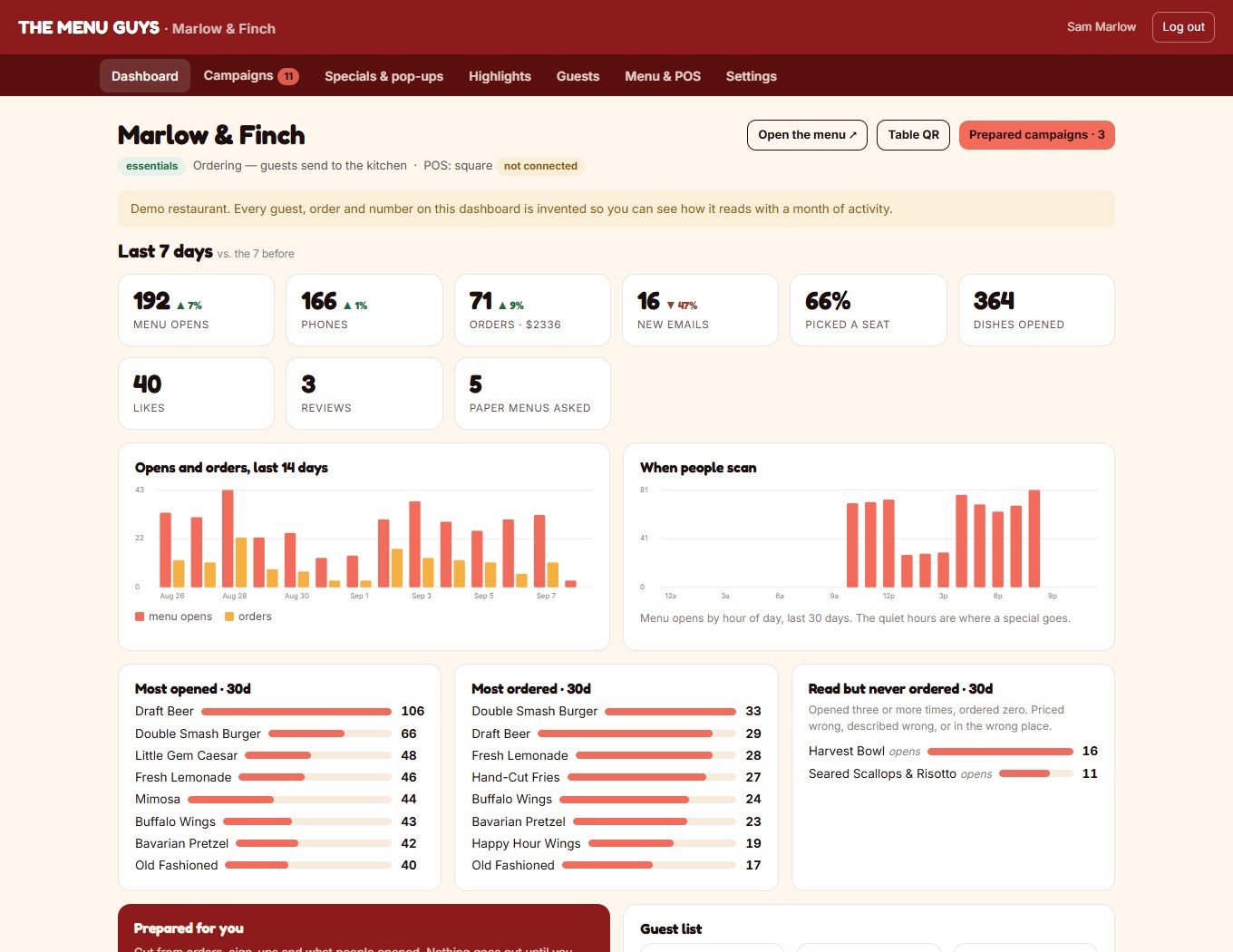
The owner dashboard: last seven days, opens and orders chart, most opened dishes, prepared campaigns
The numbers

Every scan, dish, chair and sign-up. Last week against the week before.

Menu opens, phones, orders and revenue, open tabs, new emails, how many picked a chair, ratings at close-out with the private notes, dishes opened, likes, reviews, paper menus asked for. Opens and orders by day. When people scan, by hour — the quiet hours are where a special goes.

MOST OPENED · MOST ORDERED

Two lists, side by side

What people look at and what they actually buy, from real POS sales. When the lists disagree, that's a price or a description to fix.

READ BUT NEVER ORDERED

The dish that's costing you

Opened three or more times in 30 days, ordered zero. Priced wrong, described wrong, or in the wrong place on the menu. Named, every month.

LANGUAGES READ

Who's actually reading in Spanish

The share of scans in each language, from the menu itself. The first honest answer most owners get to "do we need the translation?"

Campaigns

Prepared for you. From what they ordered.

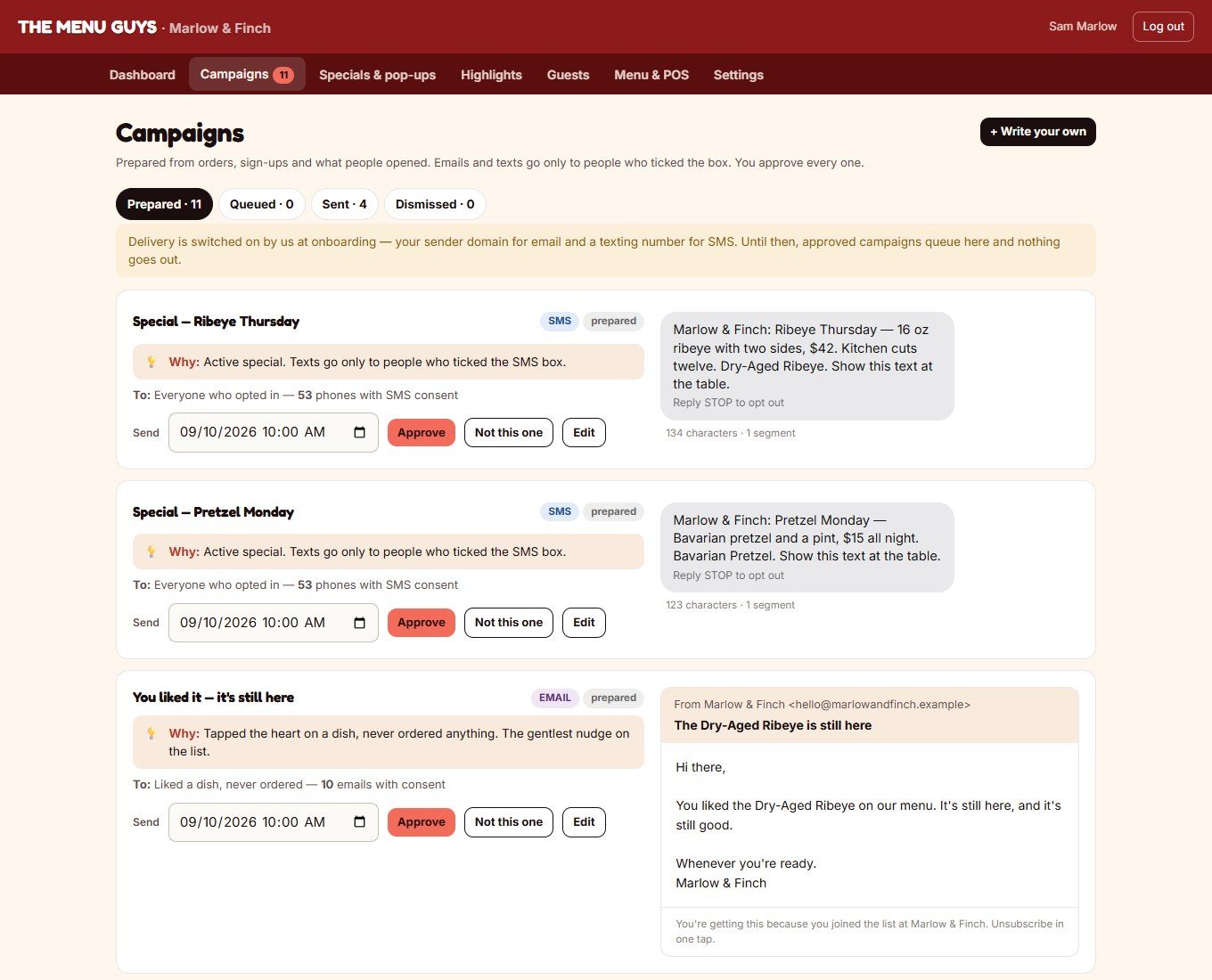
The dashboard writes the campaigns. Each one comes with the reason it exists, the exact audience and a preview of the email or the text, per guest — their first name, their usual dish. You approve it, edit it, or say "not this one."

  • Regulars — "3 guests ordered the pretzel twice or more in 60 days. They're the only people who get this."
  • Win-back — ordered before, not seen in 30 days. The one email that pays for the platform.
  • Spotlight — the dish people open and don't order, with what the kitchen says about it.
  • Slow night — your quietest night over four weeks, and a text that fills it.
  • Review ask — 48 hours after a visit, landing on the dish.
  • Welcome — new sign-ups, with what to try next.

Emails and texts go only to people who ticked the box. SMS gets its own unticked box with the rate disclosure and STOP. We don't bend this.

Campaigns page: prepared campaigns with the reason, audience count and a preview of the email or text
Specials & pop-ups

Change it from your phone. Every table sees it in seconds.

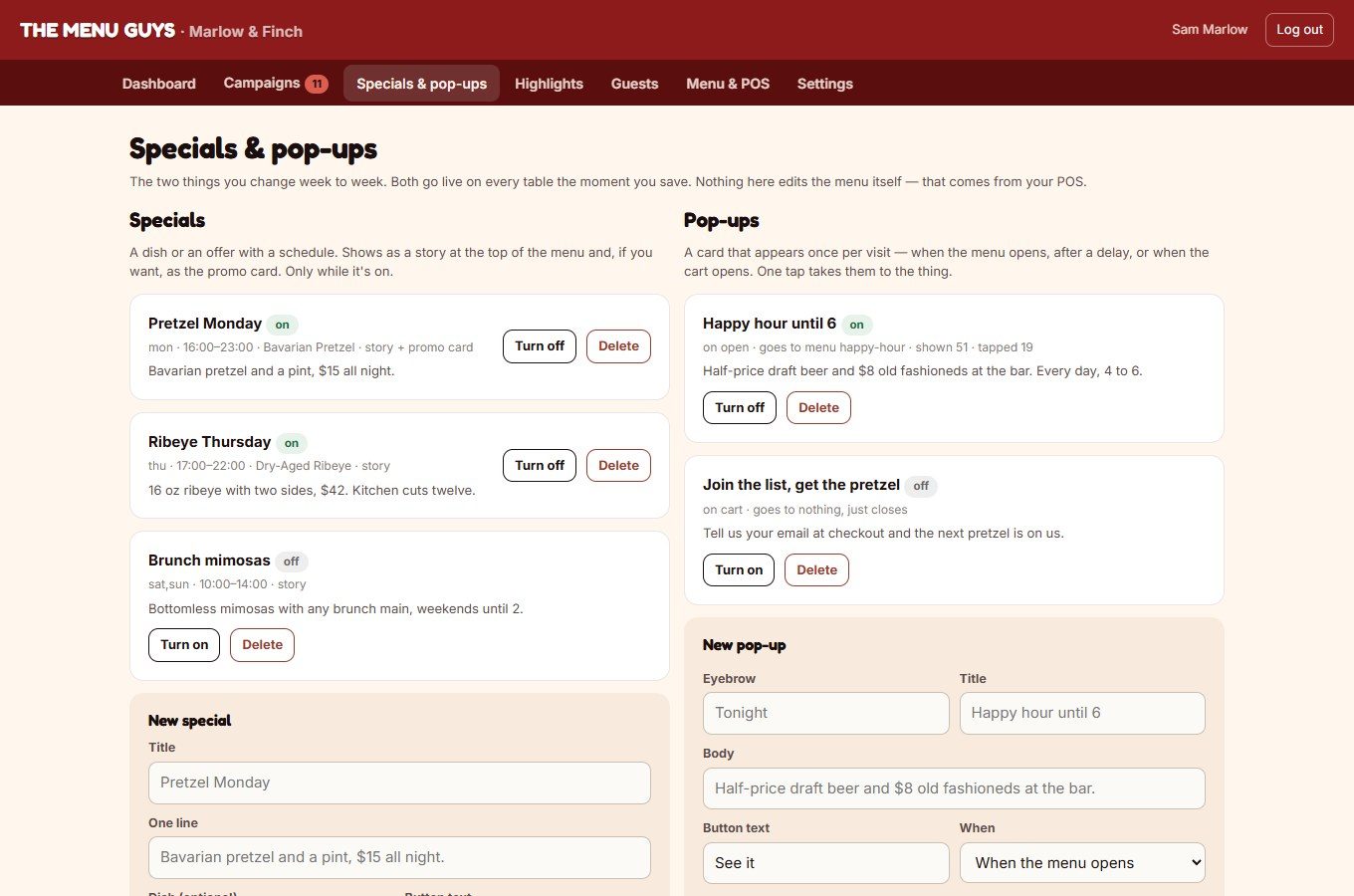
A special is a dish or an offer with a schedule — Pretzel Monday, 4 to 11. While it's on, it's a story at the top of the menu and, if you want, the promo card. A pop-up is a card that appears once per visit: when the menu opens, after thirty seconds, or when the cart opens. One tap takes them to the dish.

  • Shown and tapped counts on every pop-up
  • Turn on, turn off, delete — from the line, on a phone
  • Specials become prepared texts automatically
Specials and pop-ups page
Highlights

The layer on top of the POS.

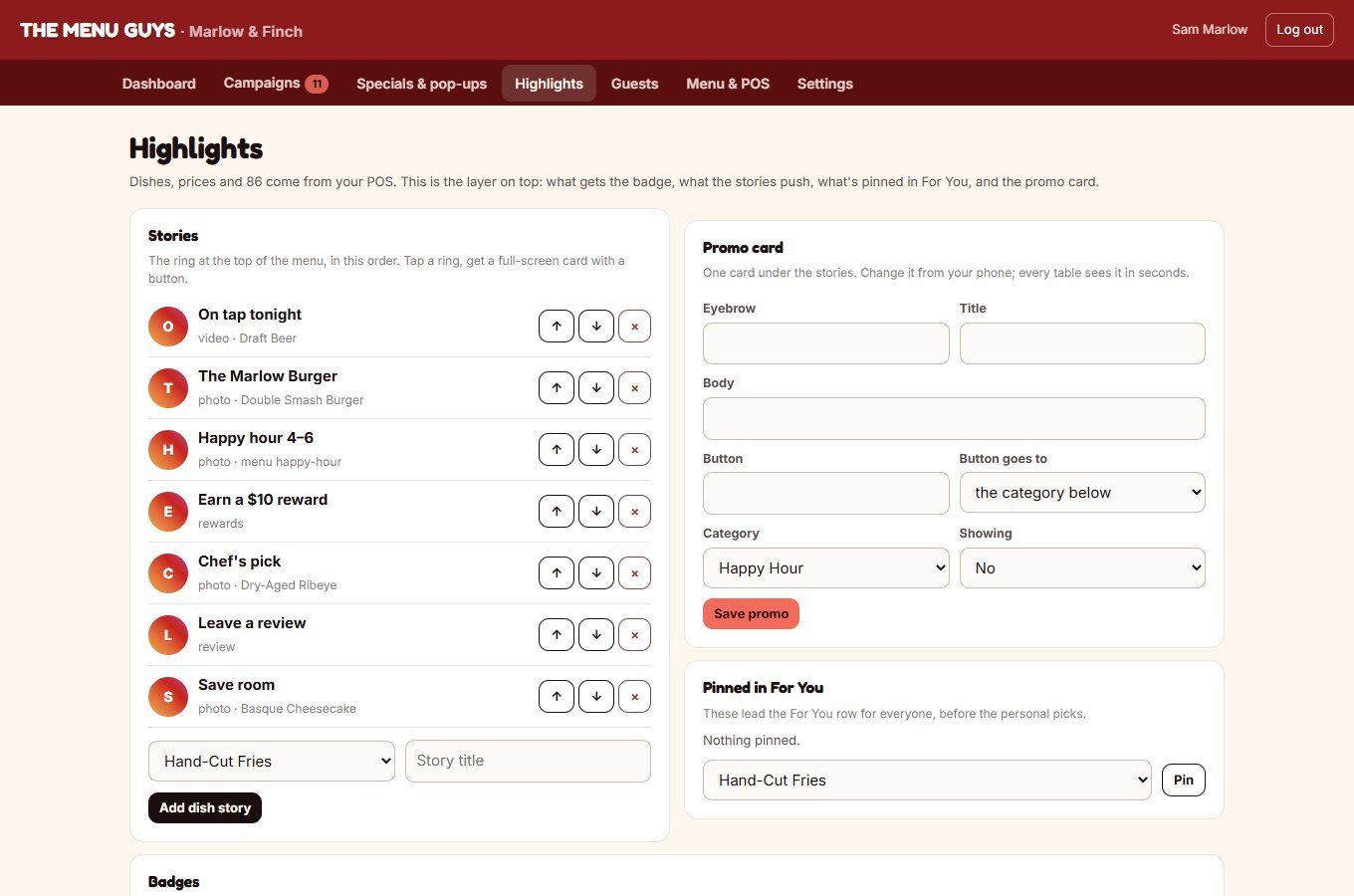
Signature and Featured badges. The order of the stories. What's pinned at the front of For You. The promo card. Hide a dish without touching the POS. That's the whole editing surface — because everything else rides on the system you already run.

Highlights page: stories order, promo card, pinned For You, badges
Guests

Your list. One row per phone.

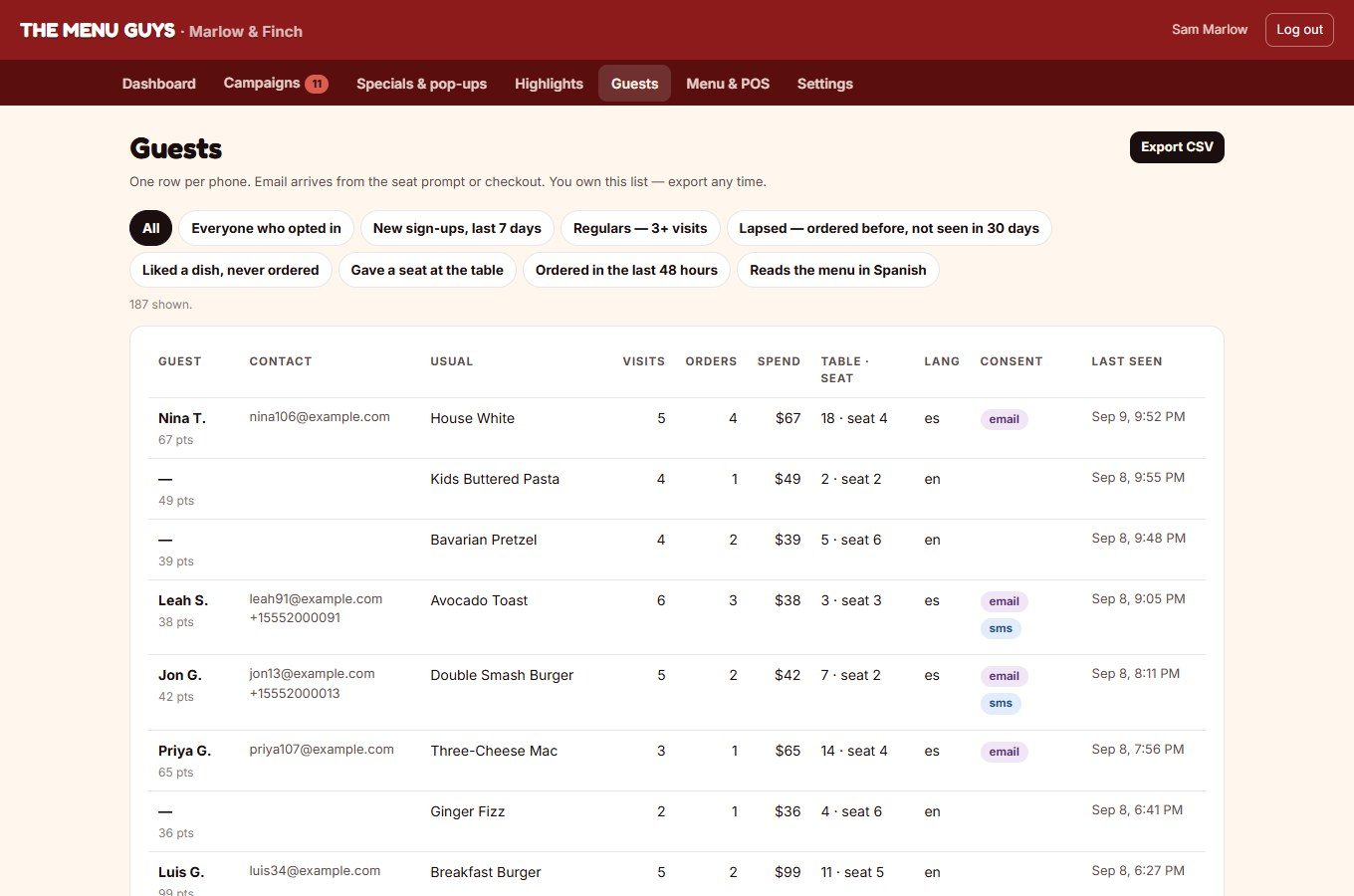
Name, contact, their usual dish, visits, orders, spend, table and chair, the language they read in, what they consented to. Filter by regulars, new sign-ups, lapsed, liked-but-never-ordered, Spanish readers. Export the CSV any time. If you leave, it leaves with you.

Guests page with usual dish, visits, spend, chair and consent
Menu & POS

Connected, not copied.

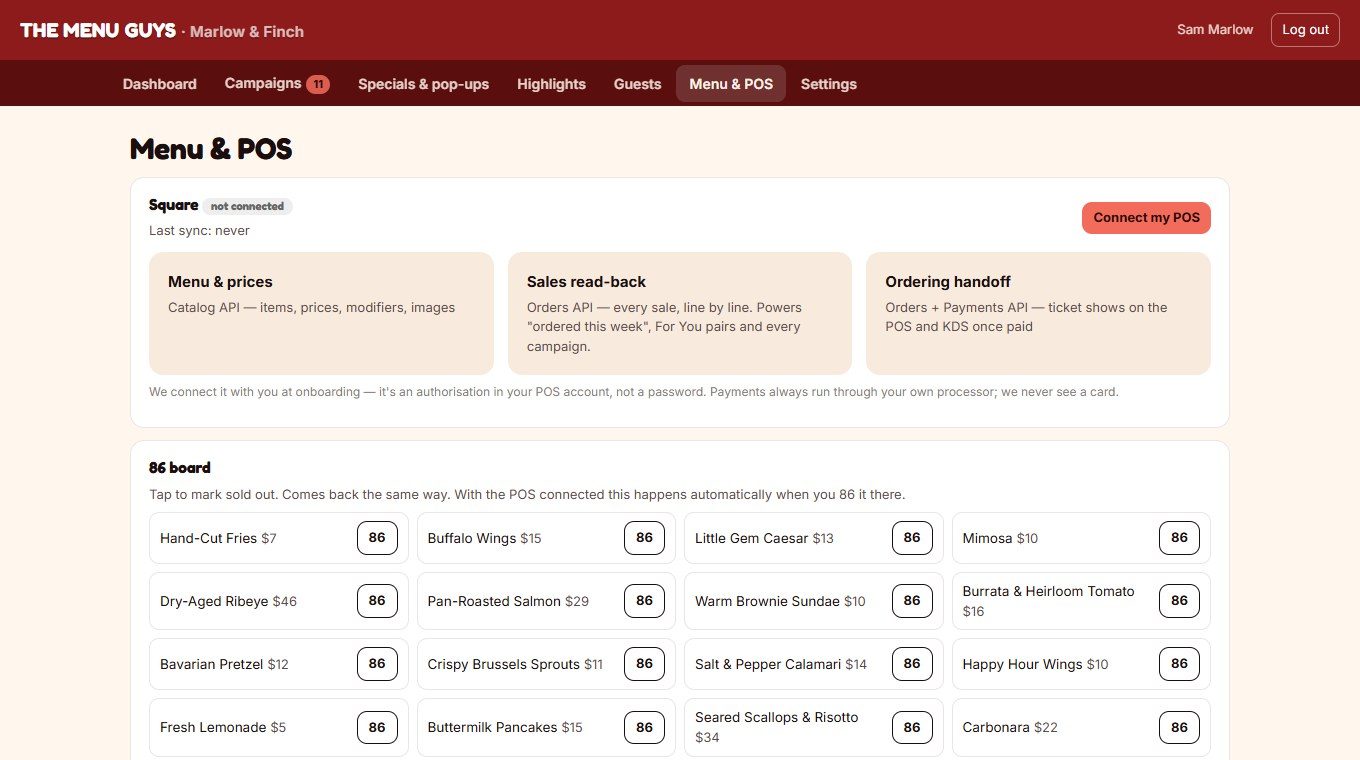
The POS card shows what's connected and what it syncs: menu and prices, sales read-back, the ordering handoff. An 86 board for the nights the POS isn't the fastest way. Connecting is an authorisation in your POS account, done with you at onboarding — never a password.

  • Square and Clover: menu, prices, modifiers, sales, and tickets back in
  • Toast: menu and sales read; tickets print or text to the pass until their partner programme
  • Payments always through your own processor. We never see a card.
Menu and POS page with the Square connection card and the 86 board
Settings

Menu mode or Ordering mode. One switch.

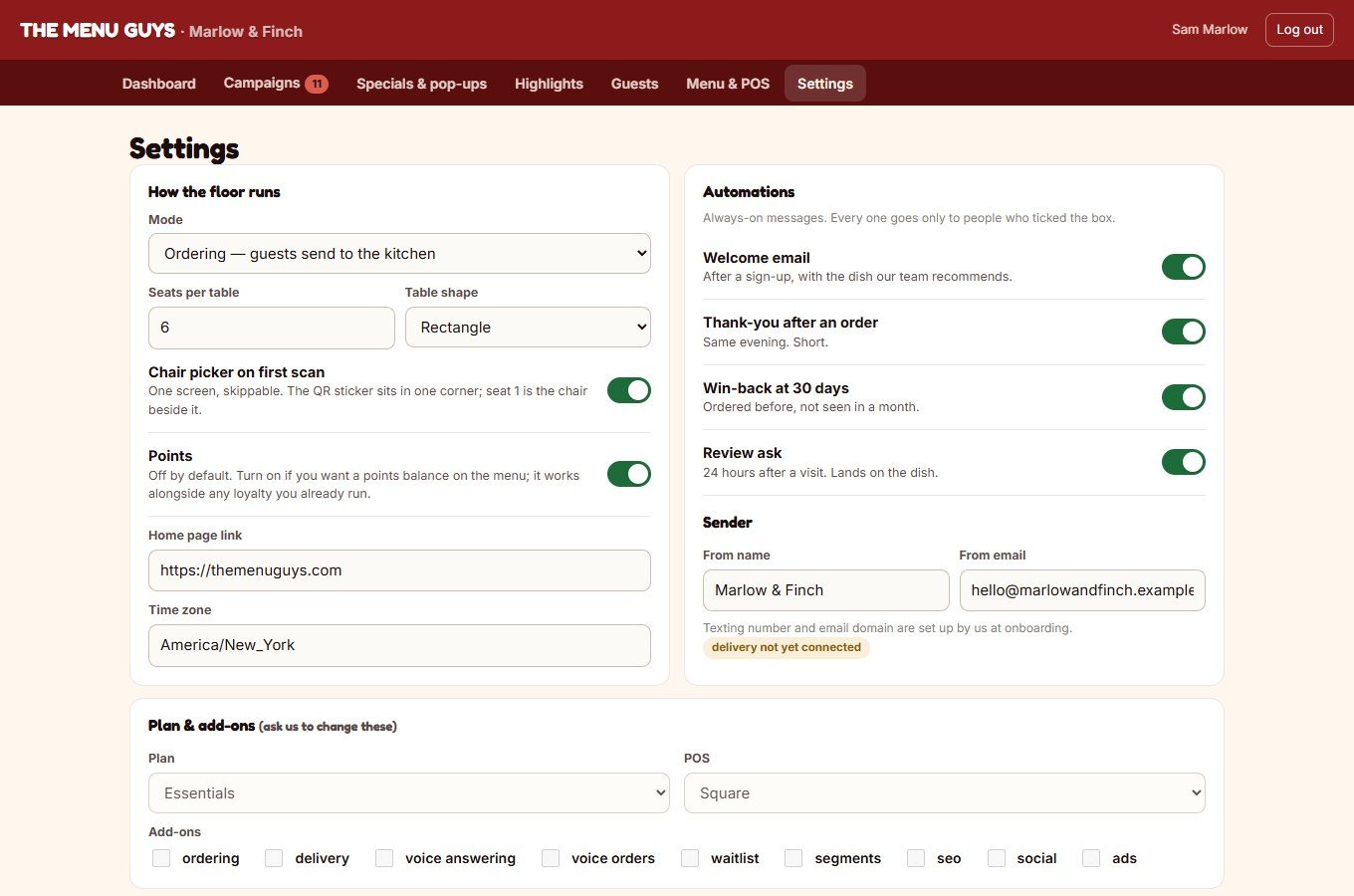
Your floor plan for the chair picker, card-on-file and the 12-hour auto close-out, your Google review link. Points on or off — off by default, and it works alongside any loyalty you already run. The always-on automations: welcome, thank-you, win-back, review ask. Each with its own switch.

Settings page: floor mode, chair picker, points, automations
On a phone

Built for the line, not the office.

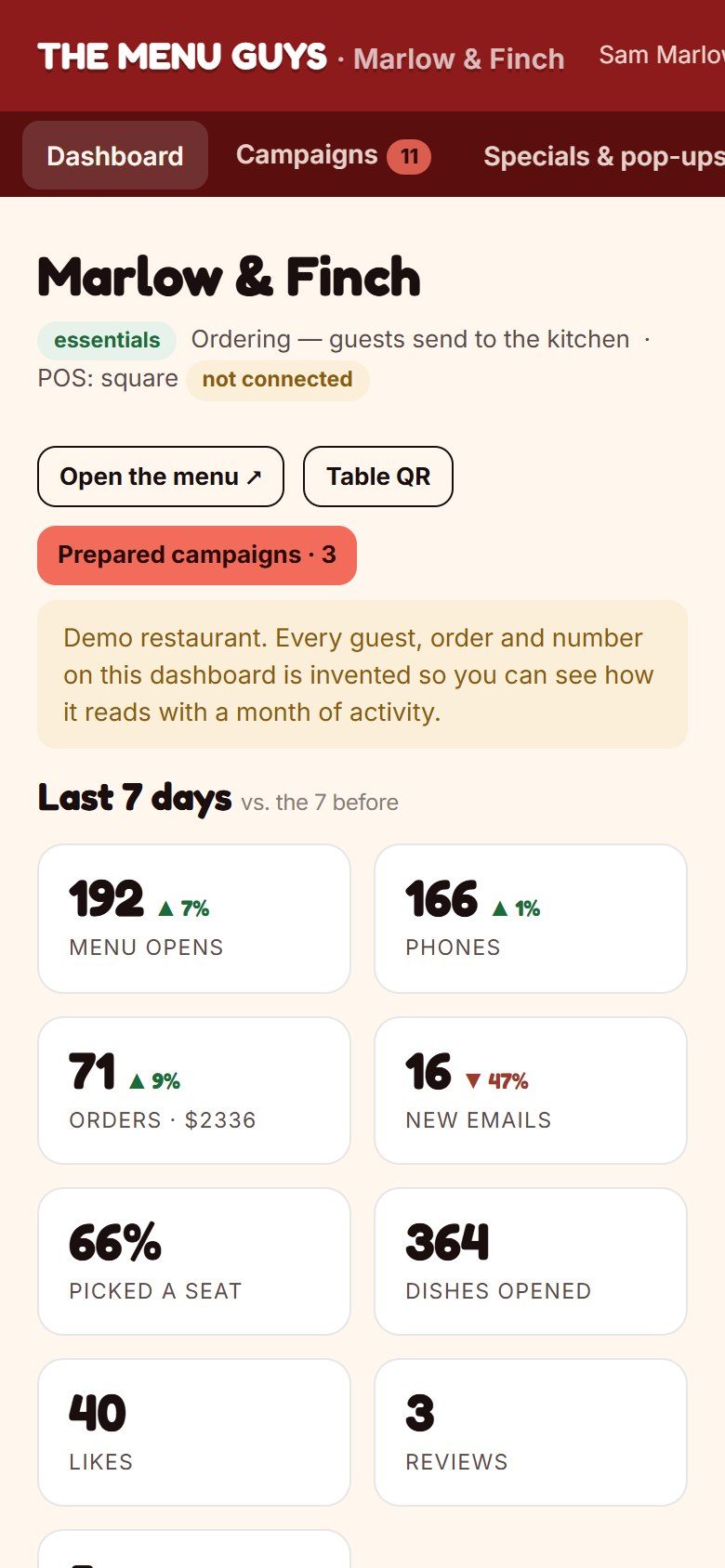
Everything above works on the phone in your apron pocket. 86 a dish, flip a special, approve a text — between tables.

The dashboard on a phone
Good Food Good People

We'll build your menu before the call.

Twenty minutes, no pressure. You'll be looking at your own menu, in your guests' languages, before we've said hello.